Raffle Wheel
8 optionsRandom draw
Now playing3rd prize0 / 3 spins completed
Turn Queue · Events
Draw third, second, and first prize winners from one name list. Turn Queue tracks each prize round, while Remove winner can prevent repeat winners.
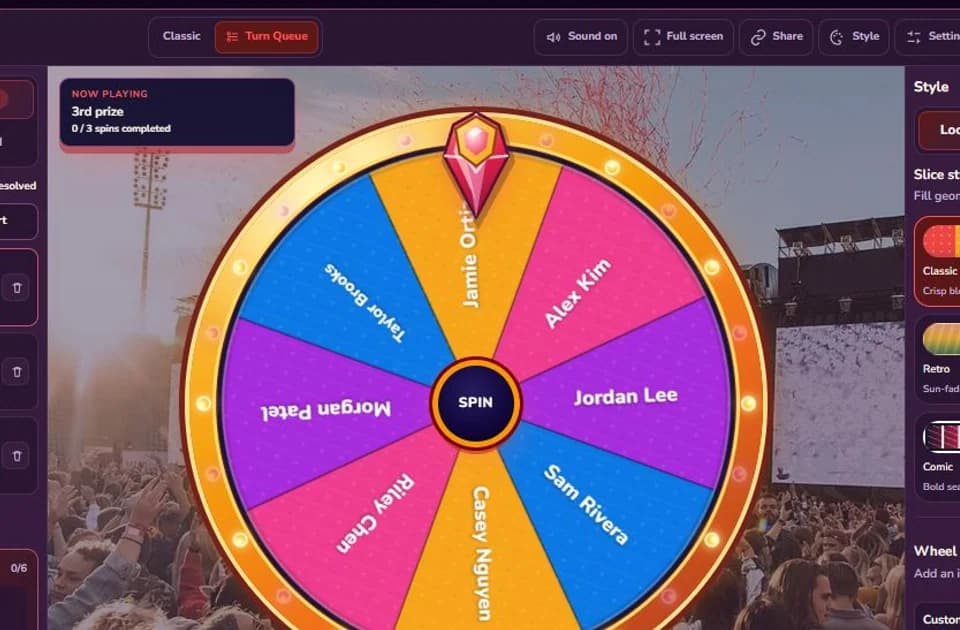
Ready to spin
8 optionsRandom draw
Updated August 14, 2026. The 8-name starter list, three-tier 3–2–1 prize sequence, Turn Queue limits, Remove winner setting, and Results export were checked against the current wheel. Source: feature-checked starter setup, checked August 14, 2026.
This preset is built for a multi-prize draw where the wheel selects people and a separate Queue keeps track of the prize being awarded. The eight names are examples, not a recommended guest list. Replace them with eligible participants, then edit the three Queue rows to match the prizes you actually have. The starter order schedules third prize for three spins, second prize for two, and first prize for one.
| Area | Starter data | What to replace |
|---|---|---|
| Options | 8 sample names | Your eligible participant labels |
| Queue | 3rd prize ×3, 2nd prize ×2, 1st prize ×1 | Your prize names and winner counts |
| Remove winner | On | Keep it on only when repeat winners are not allowed |
Set the eligibility rule before loading names: registration deadline, age or attendance requirements, staff exclusions, and whether one person can hold more than one valid entry. Two participants may share a name, so add a short, non-sensitive identifier such as “Alex K. — Table 4” when the host needs to tell them apart. Do not display email addresses, phone numbers, ticket codes, or other private data on a wheel that may be projected or shared.
Options accepts up to 100 items, with labels up to 36 characters. For a short list, edit the names directly. For a prepared list, paste values separated by lines, commas, semicolons, or tabs. File import accepts an Excel .xlsx or .xls workbook up to 5 MB and lets you choose the worksheet and name column. The current editor does not upload CSV files; CSV is the result download format.
Keep people in Options and prizes in Queue. Mixing both into one wheel can produce a prize name when the host needs a winner. Each Queue item has a label and a turn limit: “Door prize” with five turns schedules five winners before the next Queue item begins. A label can contain up to 36 characters, one item can receive 1–99 turns, and a Queue can contain up to 200 items. Those are product limits, not a suggestion to run a 200-tier live event.
Lower-value prizes often come first so previous winners can leave the eligible pool before the headline prize. That order is not universally correct. Use the sequence stated in your event rules, and do not reorder prizes after seeing a result.
This template opens with Remove winner enabled. After a completed result, the selected option is removed before the next spin, which supports one-prize-per-person events. The setting can be turned off when the published rules allow the same participant to win again. Before starting, compare the total scheduled Queue turns with the number of eligible names: six no-repeat prizes need at least six valid Options.
Clear host wording: “The final list contains 96 eligible names. Remove winner is on, so each person can win once. An absent winner has two minutes to respond before one announced redraw.”
Full screen can make the wheel easier to follow on a projector. Sound may add energy in a busy room, but it should remain optional for quiet venues and people sensitive to repeated audio.
“We will redraw if needed” leaves too much room for improvisation. State whether a redraw applies to an ineligible entry, a duplicated record, an absent winner after a defined claim period, or a technical interruption before the result was recorded. A spelling correction does not normally invalidate an otherwise eligible winner. If the host makes a change, explain it to the room and keep a note beside the downloaded results.
Results preserves the round order, selected entry, active Queue item, its turn number, run mode, and recorded time. View all rounds makes the sequence easier to review, and CSV export gives the organizer a file for event notes. This is useful operational history, but it does not prove that the imported list was complete, verify a winner identity, store published rules, or provide an independent audit.
For a regulated promotion, paid raffle, public fundraising draw, or high-value prize, check the rules that apply in the relevant jurisdiction and use an approved process where required. Spinanywheel is a browser-based random picker for informal events; it is not certified lottery or gambling software.
For a single winner or a list that can repeat freely, Classic mode is simpler. Turn Queue earns its place when the event has an ordered prize plan and the host needs the interface to remember which tier is active.
The practical advantage is coordination, not a claim of “better randomness” than every other method. Names, prize order, no-repeat behavior, live progress, and the result sequence stay in one interface. That means fewer handoffs between a paper prize sheet, a separate spinner, and a results spreadsheet. You can rehearse with the sample names, reset the template, then load the final list when the rules and Queue are ready.
Questions before you draw
Put eligible participant names in Options and put prizes in Turn Queue. Set each Queue item's turn count to the number of winners needed, then run the Queue in the same order announced in your event rules.
The current wheel accepts up to 100 Options, and each visible label can contain up to 36 characters. Use short, non-sensitive identifiers when two participants share a name.
Not as a file. You can paste a list or import one column from an .xlsx or .xls workbook up to 5 MB. CSV is available for downloading the finished Results history.
Yes. This preset starts with Remove winner on, so a selected name leaves the eligible wheel after the result completes. The setting can be turned off when your published rules allow repeat winners.
Results records the selected name, Queue prize, Queue turn, round order, mode, and time for the current browser session. You can review all rounds and download the sequence as CSV.
No. It is a browser-based random picker for informal events. Regulated promotions, paid raffles, fundraising draws, and high-value prizes may require published rules, approved software, or other controls in your jurisdiction.
Tell me what should go on the wheel, which mode it needs, and how you would use it.